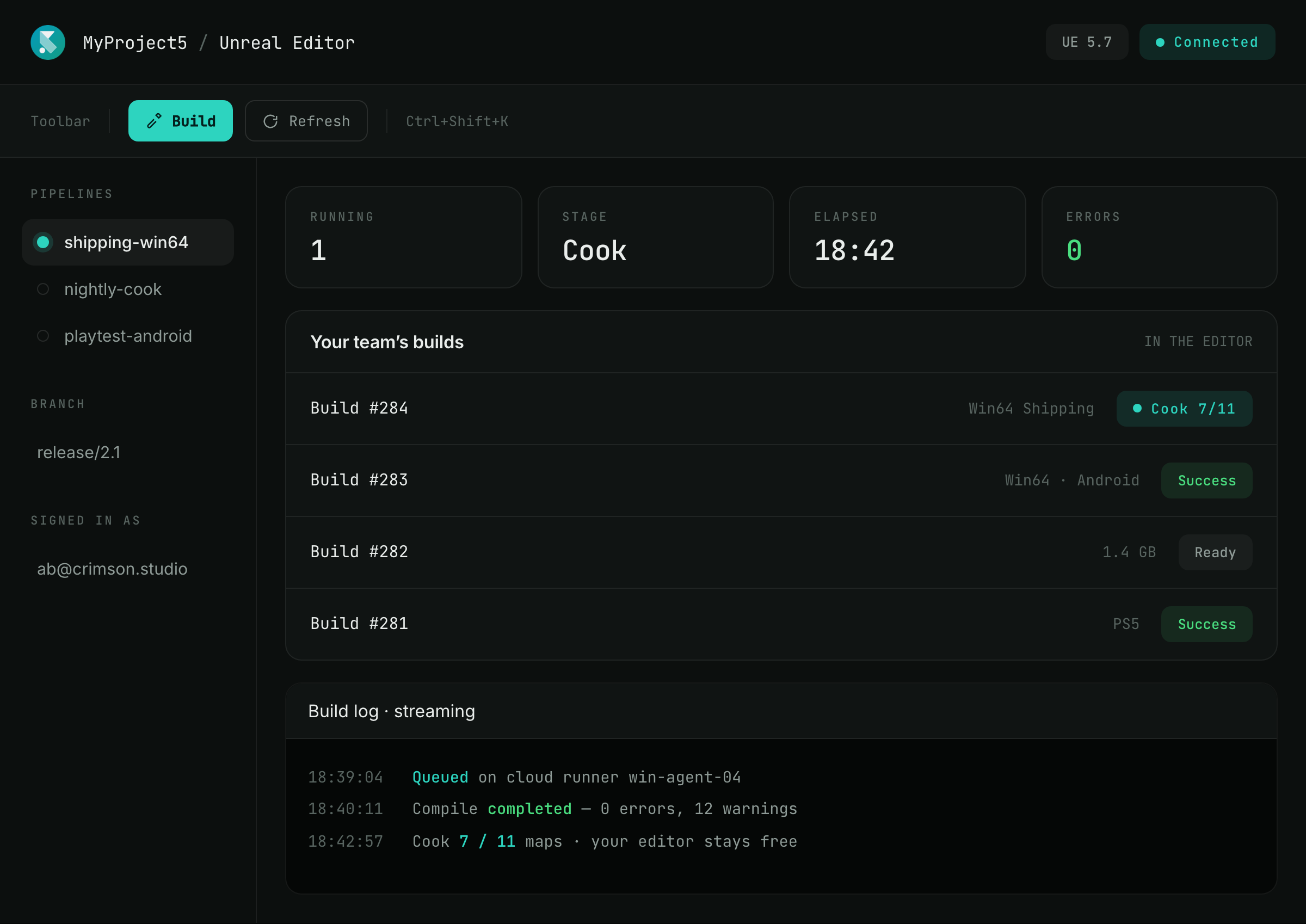
Get started in minutes
- 01
Create your account
Start your SpeedrunCI free trial.
- 02
Install the plugin
Add SpeedrunCI to your Unreal project from FAB.
- 03
Connect
Sign in and connect the plugin to your SpeedrunCI account.
No more context switching between Unreal and CI
Your project is in Unreal. Your build workflow can be there too.
Run your builds without leaving Unreal
Choose a pipeline, start a build, follow its progress, and get the finished build without switching to a separate CI dashboard.
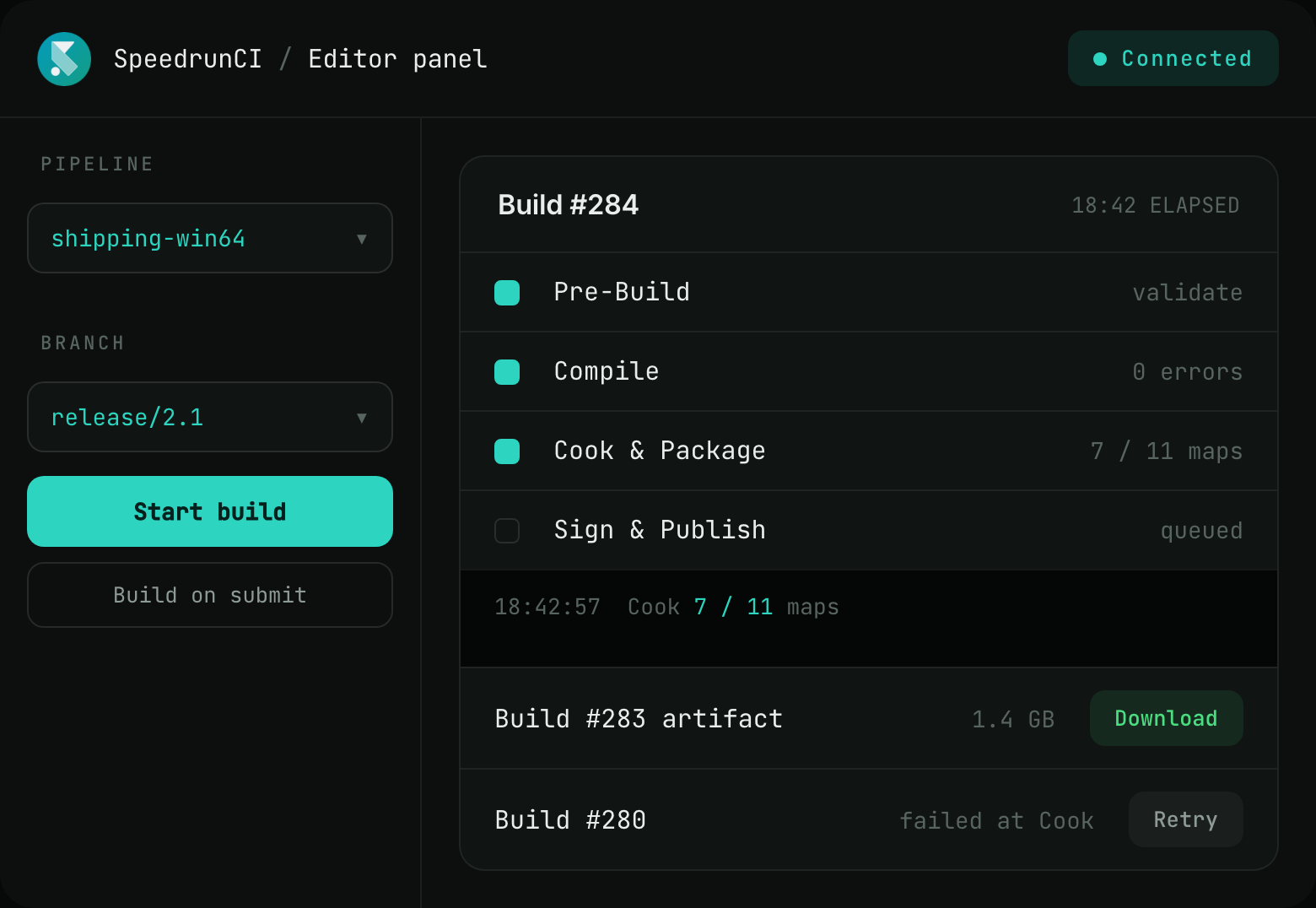
Choose your pipeline
Select the pipeline you want to run.
Build your current branch
Start a build directly from Unreal, or trigger builds automatically when changes are submitted to source control.
Monitor your build
Follow build progress and logs while it runs, or retry a failed build.
Get your build
Download the finished artifact when it’s ready.
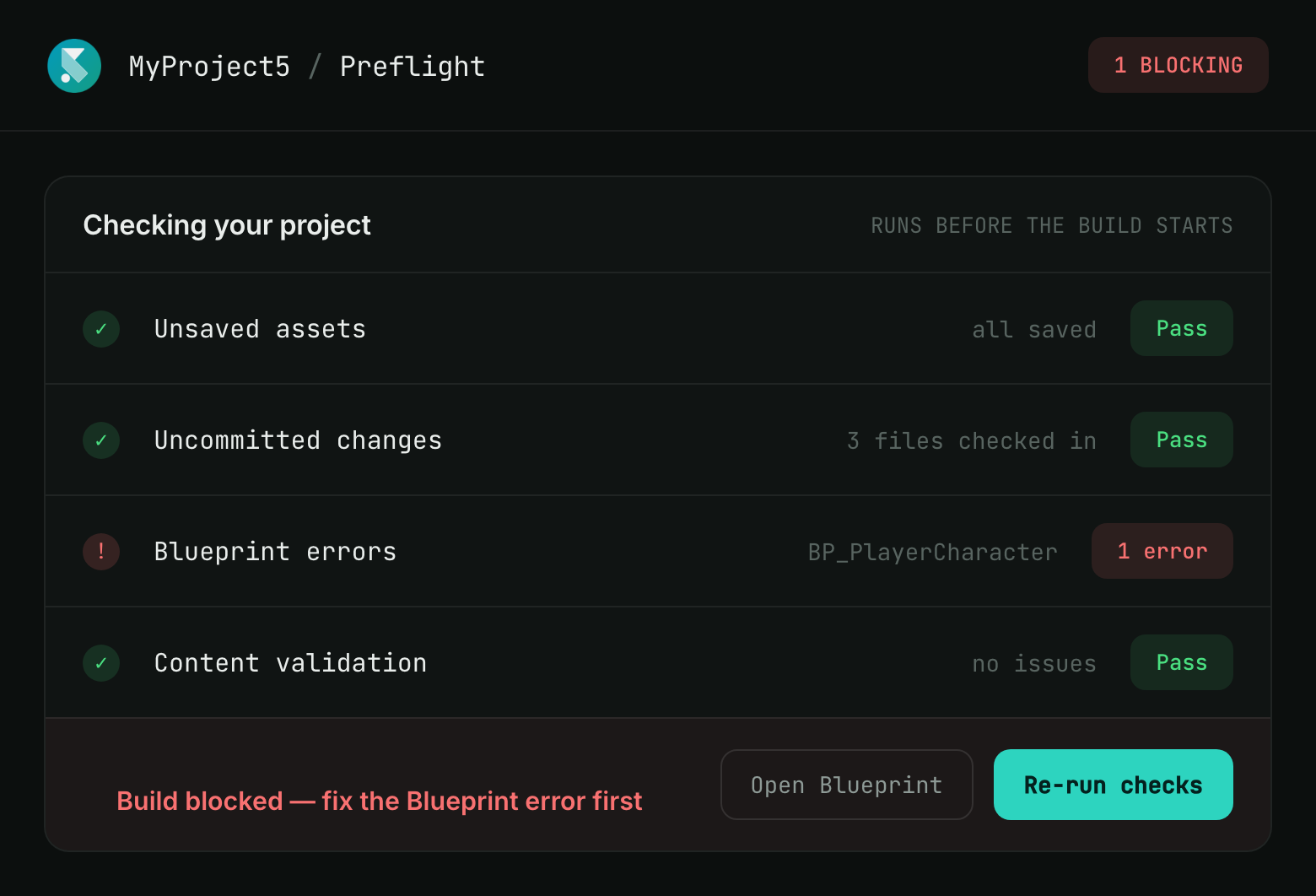
Catch problems before you build
Find common Unreal project issues before they turn into failed builds. SpeedrunCI checks your project before the build starts, so you can fix problems before sending them to the build machine.
Unsaved assets
Catch changes that haven’t been saved before starting the build.
Uncommitted changes
See source-control changes that could affect the build.
Blueprint errors
Find Blueprint compilation errors before they reach the build machine.
Block failed builds
Stop the build when a preflight check finds a problem.
When a build fails, know exactly what to fix
Turn a failed build into a clear path to resolution. SpeedrunCI highlights important errors and takes you directly to where the problem is.
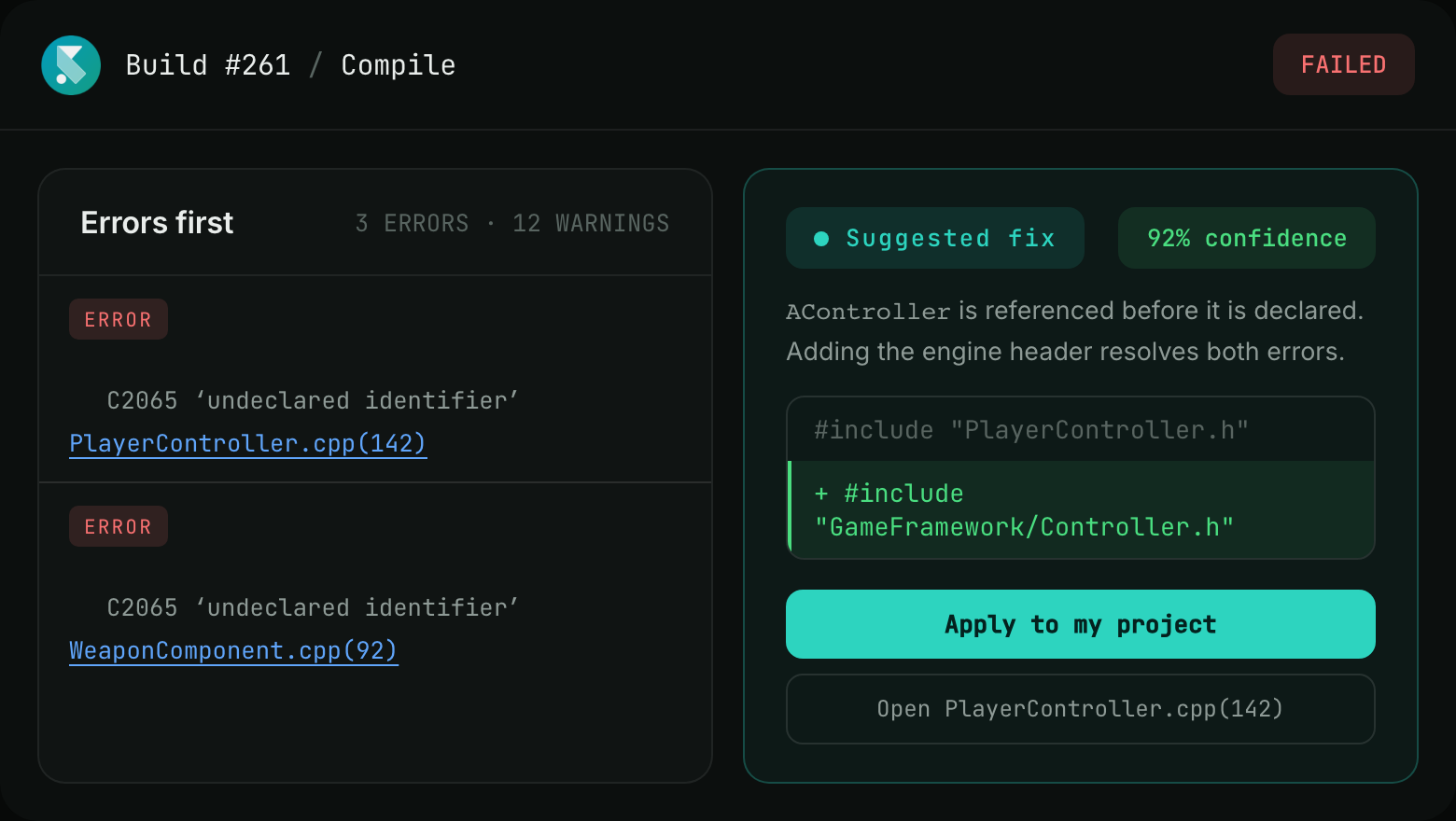
See what matters
Identify errors by severity instead of digging through the entire log.
Jump to the source
Follow clickable file(line) locations directly to the relevant file.
Understand the fix
Get an AI-generated explanation of what went wrong and how to resolve it.
Apply the fix locally
Review the proposed change and apply it to your project.
Frequently Asked Questions
Yes. The plugin is the editor interface to your SpeedrunCI pipelines, so it needs an account to connect to.
Installing the plugin is free and the service has a free trial, so you can install, connect, and run a real build before paying anything.
Installing the plugin and connecting it takes a few minutes. Sign-in opens your browser, you authenticate, and the editor panel is connected. Setting up the pipelines themselves is separate work you do once in SpeedrunCI, and after that anyone with the plugin can run them.
5.3+ and UE6
Yes. Logs open in the editor with severity colors and clickable file and line locations, so you jump straight from the error to the code. Where a fix can be suggested, it arrives as a card you can read, understand, and apply locally before touching your project.
No, and on Windows it can speed things up. Builds run on cloud runners rather than your machine, so your editor stays free while a build compiles and cooks. The plugin can also raise the process priority of ShaderCompileWorker and Lightmass, so local shader compilation and lighting builds finish faster whether or not you are running a cloud build.