Define how your game gets built
Configure the steps, rules, and automation for your Unreal build once, then run it across branches and platforms without maintaining CI scripts or runners.
Build your pipeline visually
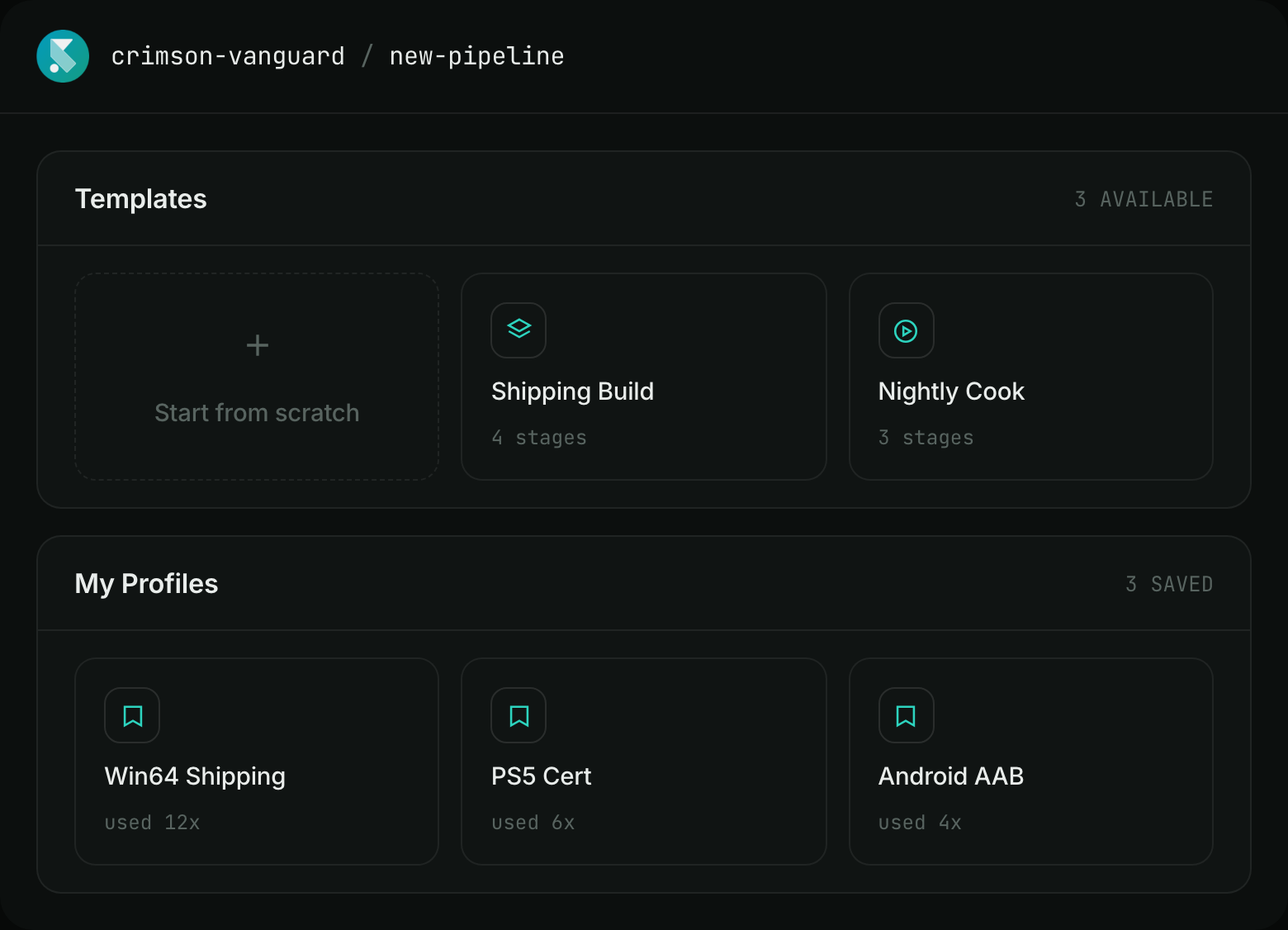
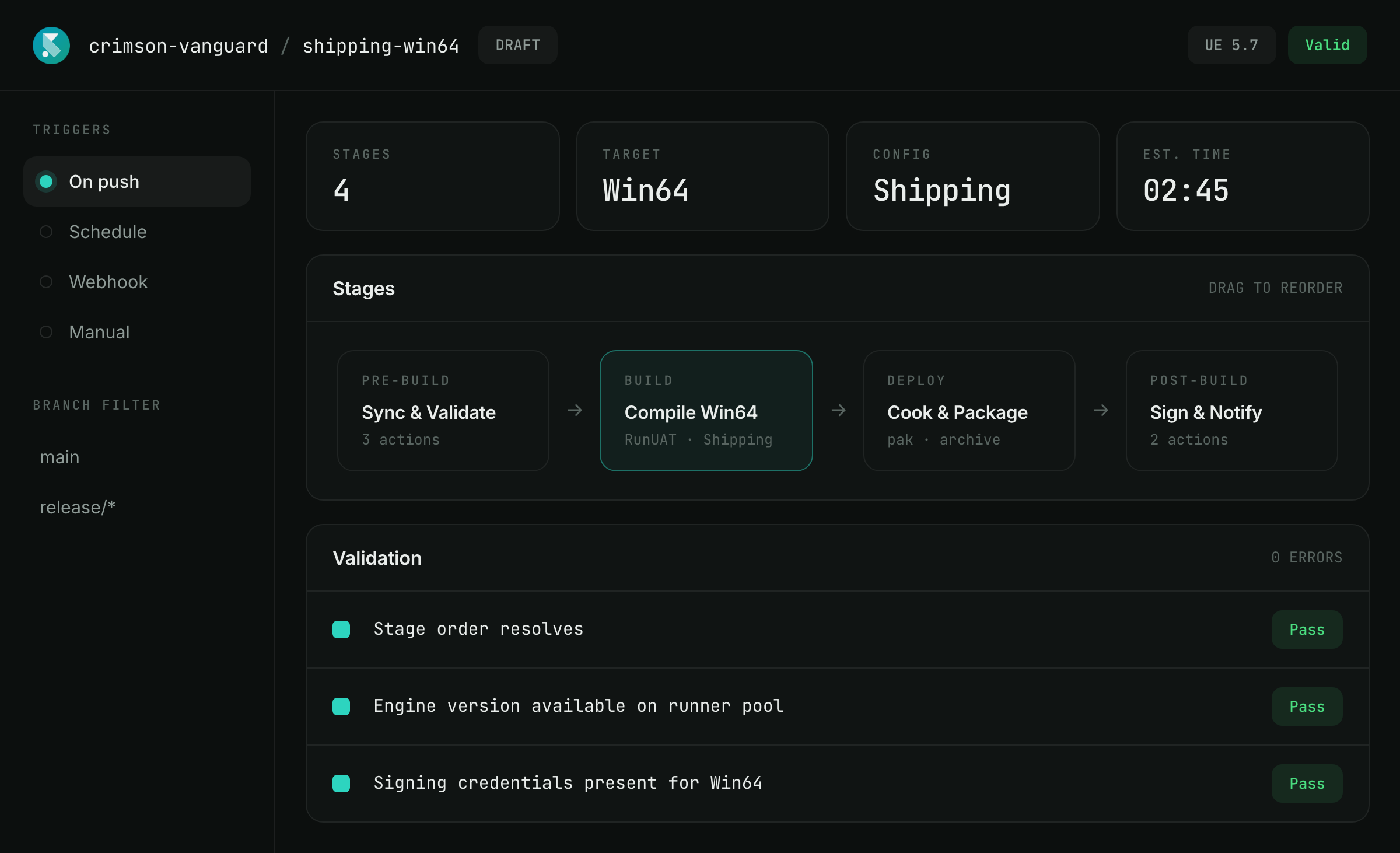
Start from a template or build from scratch. Add stages, configure them, set triggers and conditions, and see the entire pipeline as you build it.
Know what runs when
Ordering is validated as you build, so an invalid stage is rejected with a reason rather than failing three stages in.
Automate what happens next
Trigger builds manually, on push, from webhooks, or on a schedule. Add conditions so each stage runs when it should.
From simple to anything Unreal can do
Most builds need a few standard steps. Some don’t. SpeedrunCI gives you both without forcing you into a different pipeline.
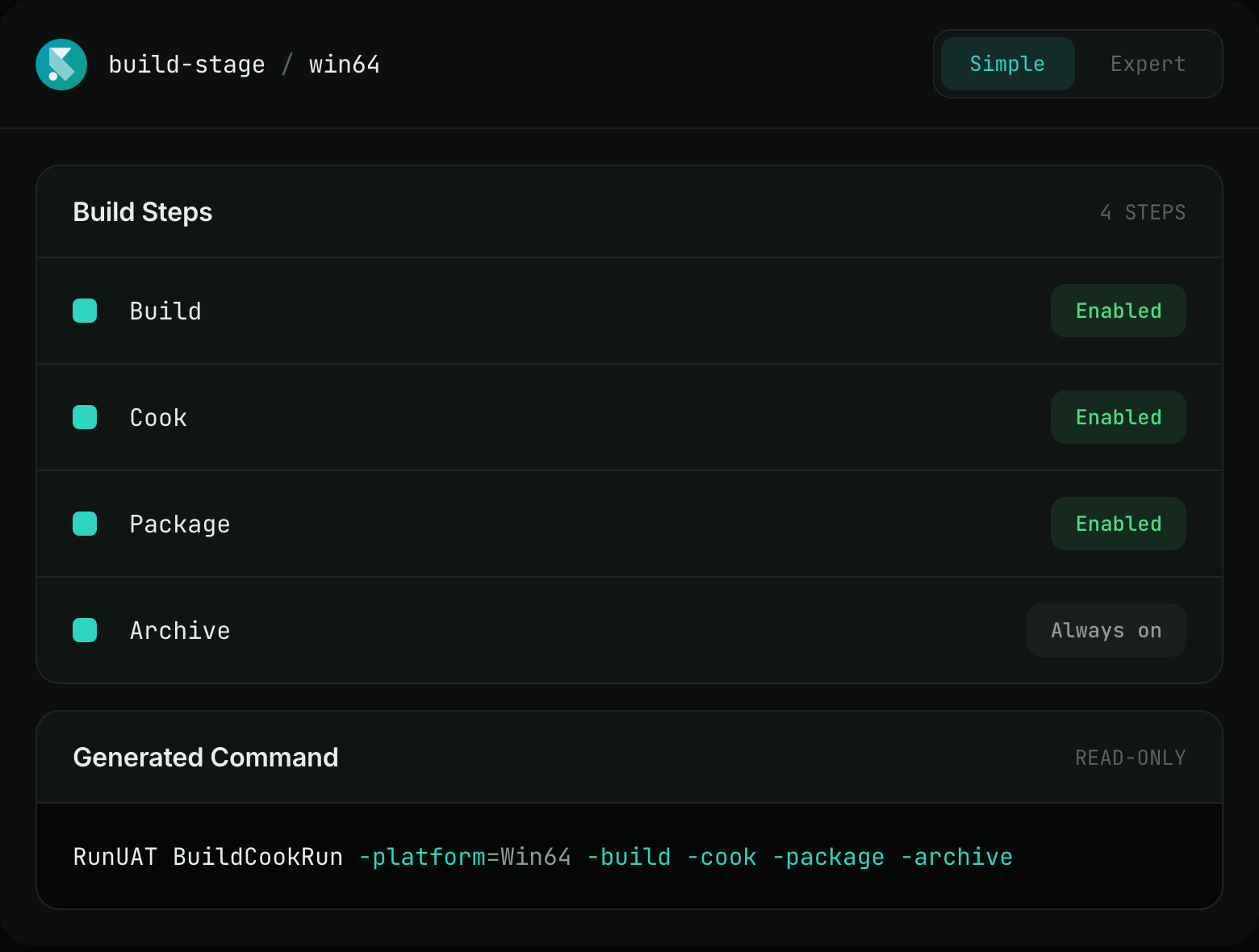
Compile, cook, package, and archive without writing commands. Pick your platforms and build configuration, configure the steps, and you’re done.
Open the raw UAT command on any stage and edit it directly. Browse flags, autocomplete arguments, choose Debug through Shipping, or target a dedicated server.
When the work isn’t a UAT command, run it as a pipeline stage. Use a sandboxed editor with path allowlisting, variables, validation, and timeouts.
Run HLOD and PCG generation on the farm, with guarded commit-back to source control.
It can do more than compile and package
Bake HLODs overnight
Generate HLODs and PCG content as part of the pipeline instead of asking someone to run the editor manually.
Rebuild the exact same configuration
Run a previous build again without recreating its setup or guessing which settings were used.
Fan one build out into multiple workflows
Build once, then feed the resulting artifact into multiple pipelines without rebuilding it.
Clean up automatically
Run the work that needs to happen after a build whether it succeeds or fails.
Tell the right people when something changes
Send build updates to Slack, Microsoft Teams, or Discord as part of the pipeline.
Keep decisions human
Pause the workflow for an approval when a person needs to make the call.
When Unreal changes, your pipeline doesn’t have to
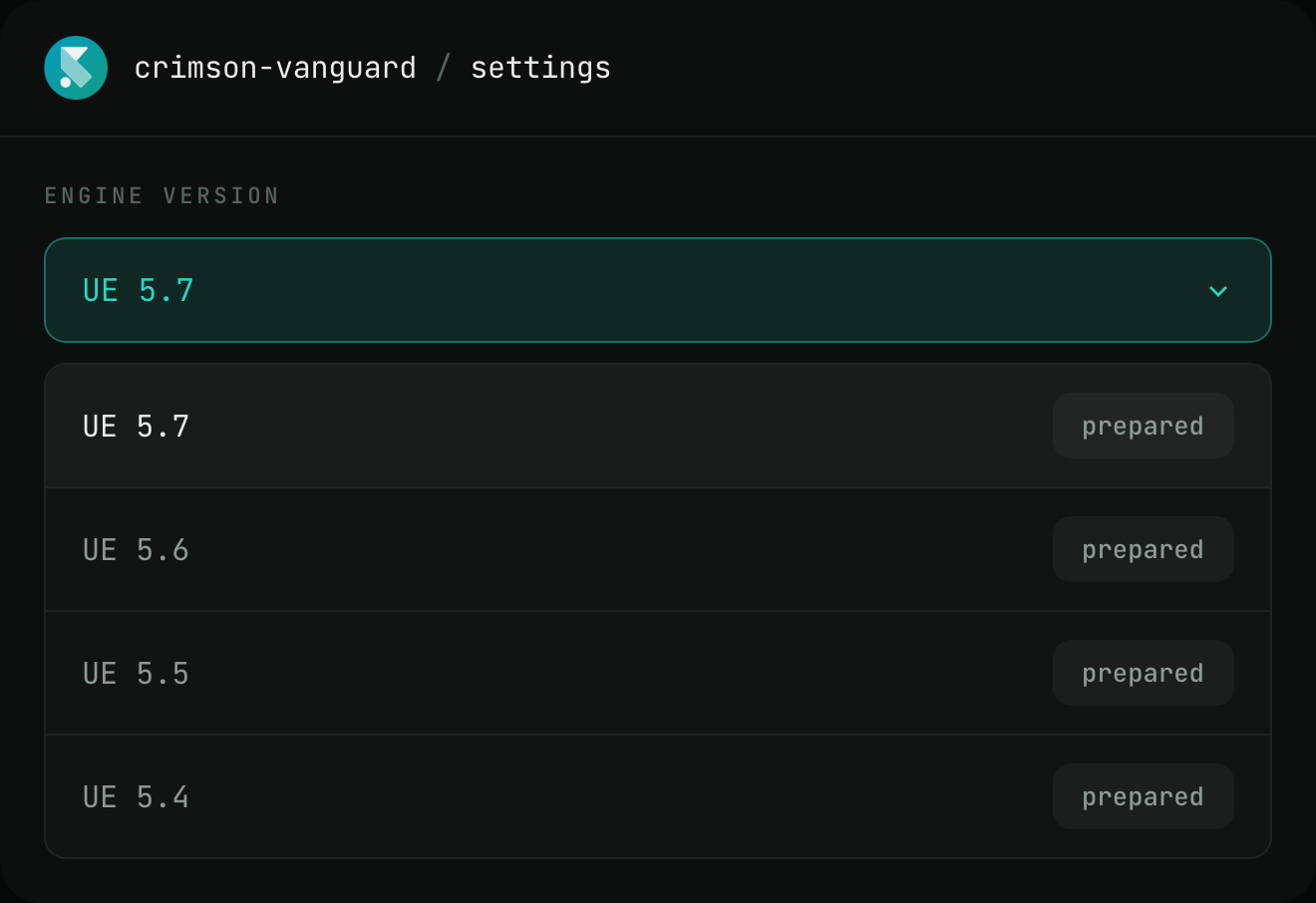
Engine versions are a project setting, not pipeline code. Point a project or branch at the version it needs and keep the same pipeline.
Your pipeline describes what the build does. SpeedrunCI handles which Unreal environment runs it. So, upgrading to the next UE version is a setting change, not a migration.
Run the same process across projects
Create reusable pipeline templates and profiles, then let each team adapt them to its project. When your build process improves, the pattern can be shared across the studio instead of recreated project by project.