The build broke. Here’s why.
See what your builds are doing, understand why they failed, and know what needs attention without digging through logs or asking your build engineer.
See what changed
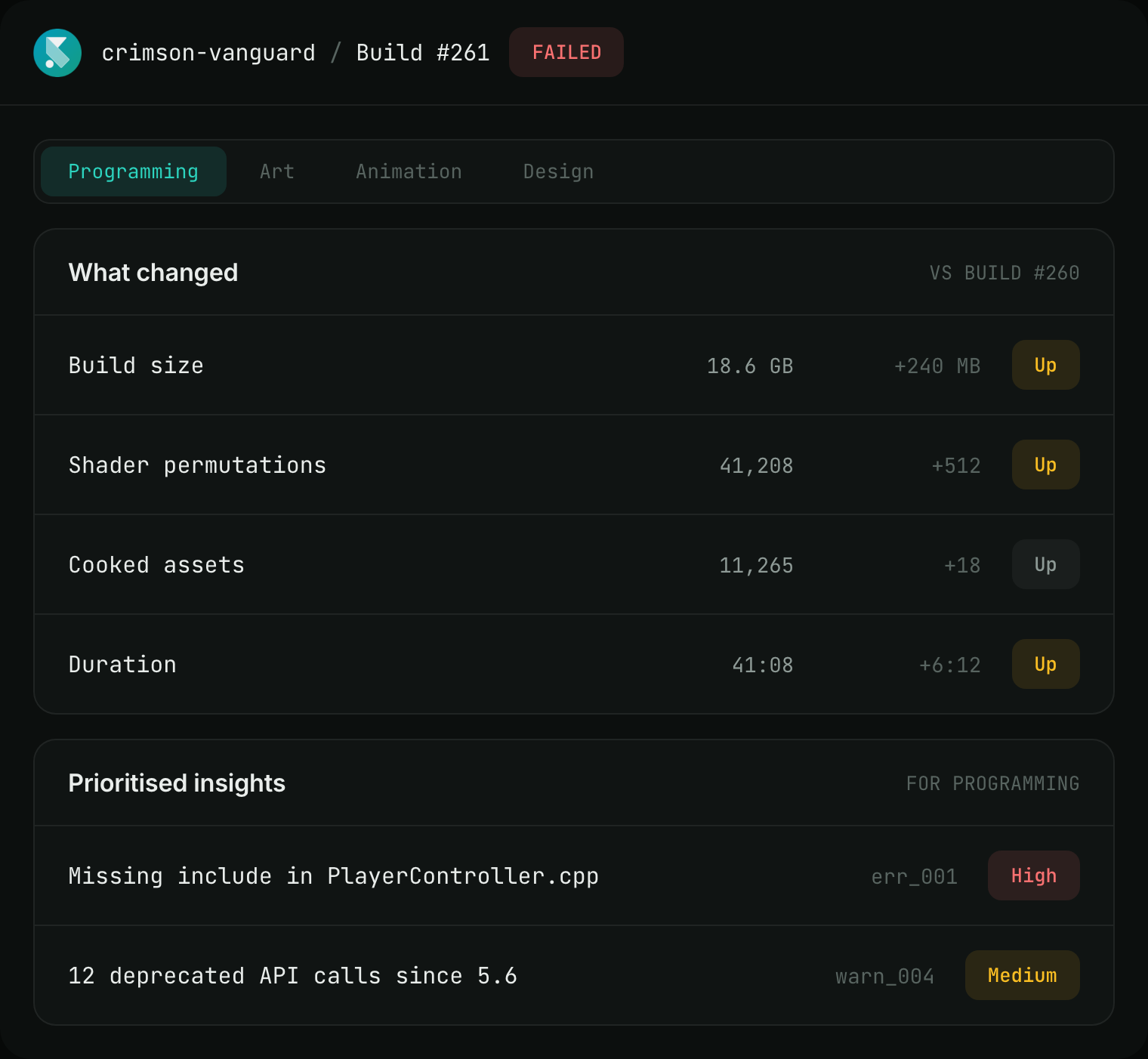
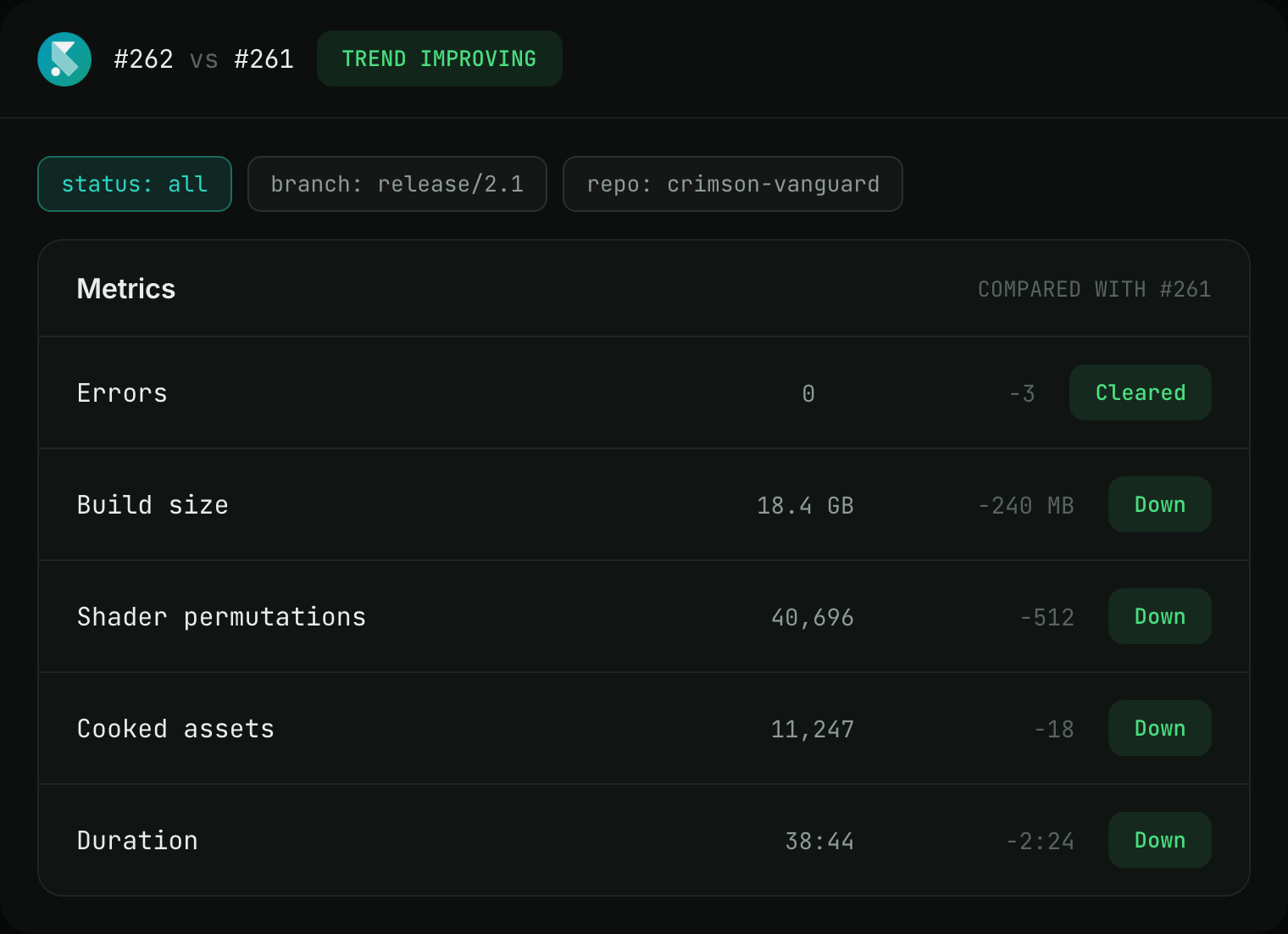
Compare the failed build with previous runs to spot changes in build size, shaders, assets, and other key metrics.
Get the explanation you need
The same failure can be explained differently for programmers, artists, tech artists, and animators, so everyone gets the context relevant to their work.
Focus on what matters
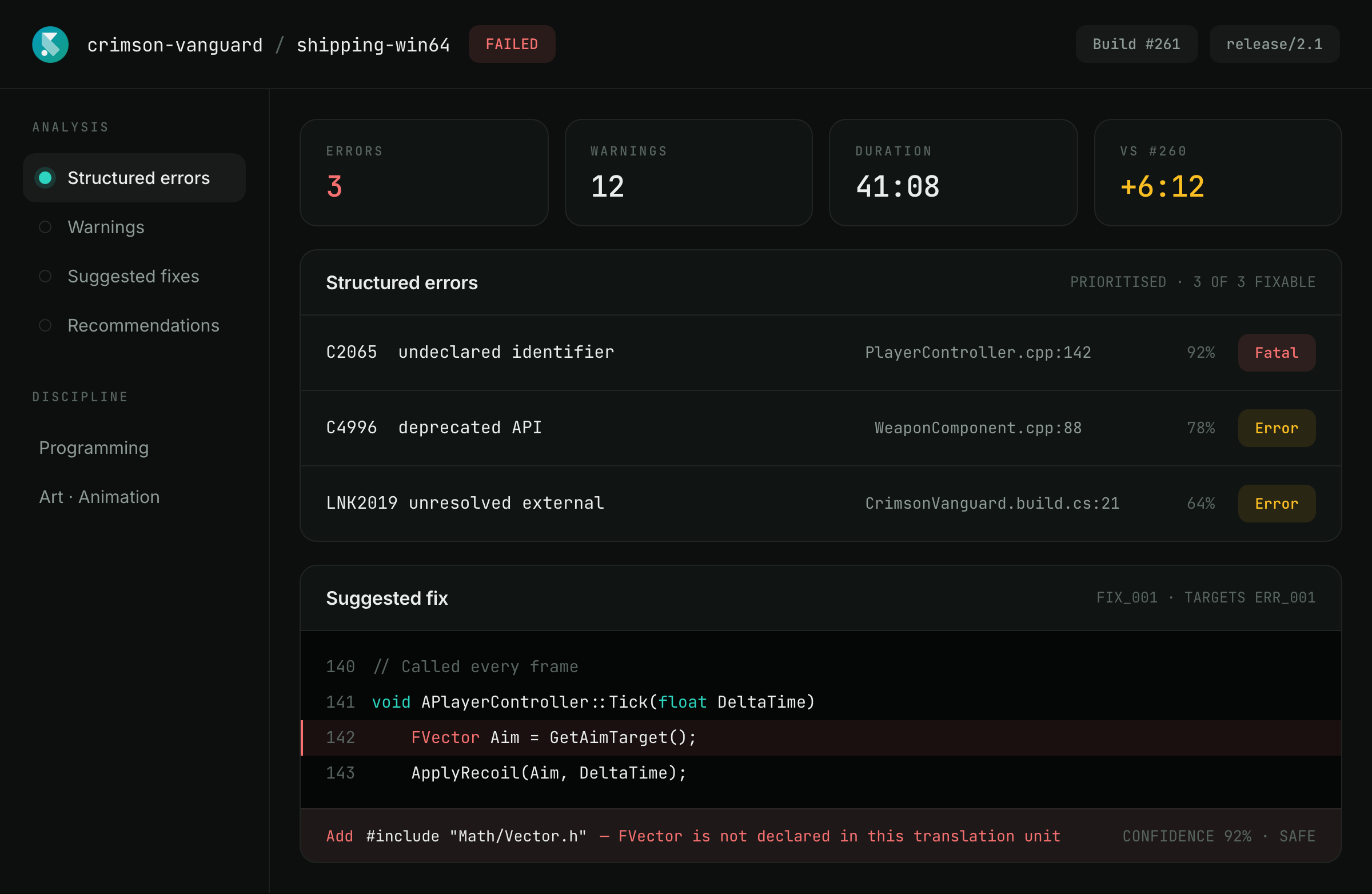
Structured errors, prioritized insights, and recommendations bring the important parts of a failed build to the surface.
Go from diagnosis to fix
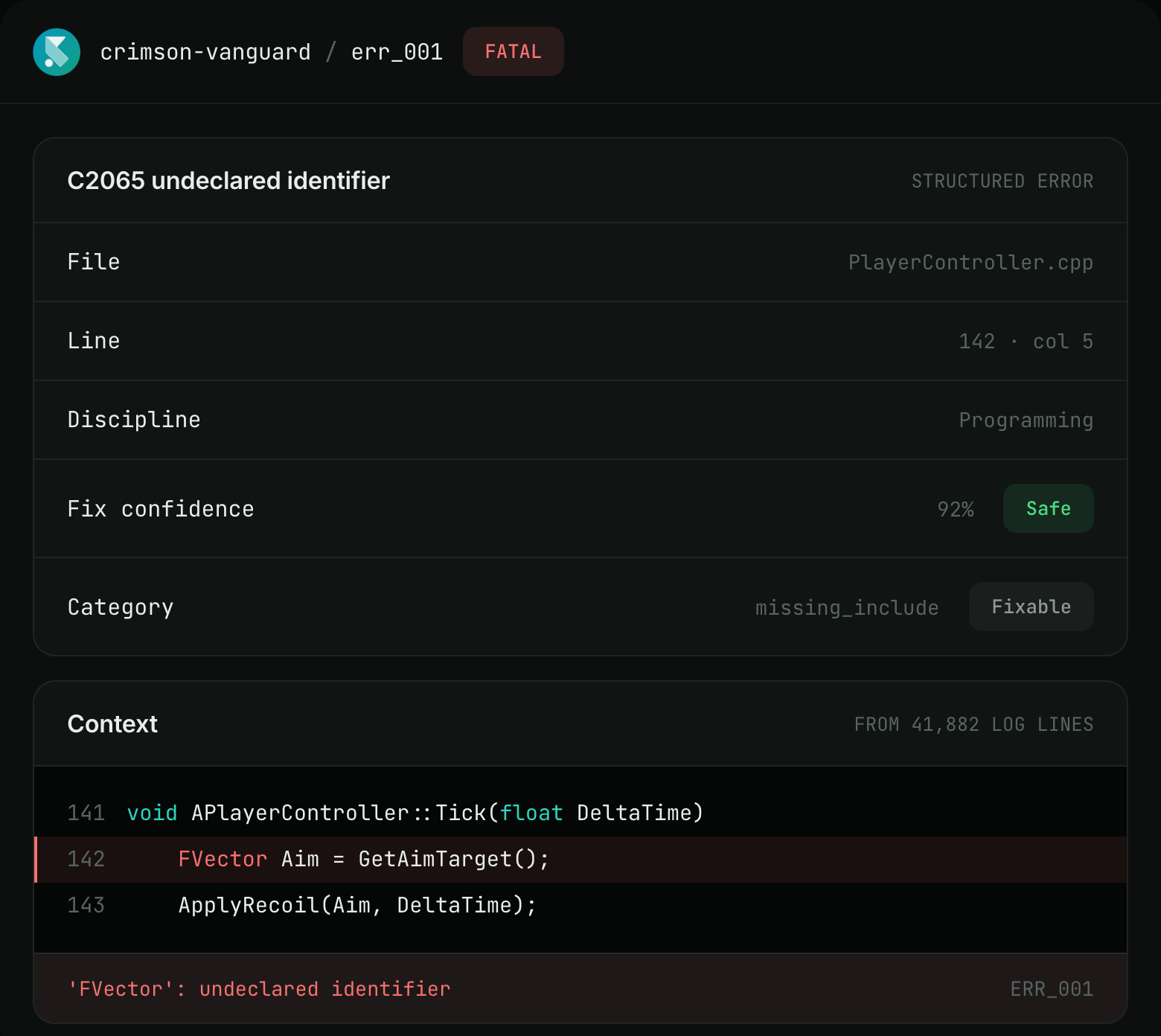
Get a suggested fix with the file, line, error, and confidence level, then jump straight to the problem in Unreal and apply it locally.
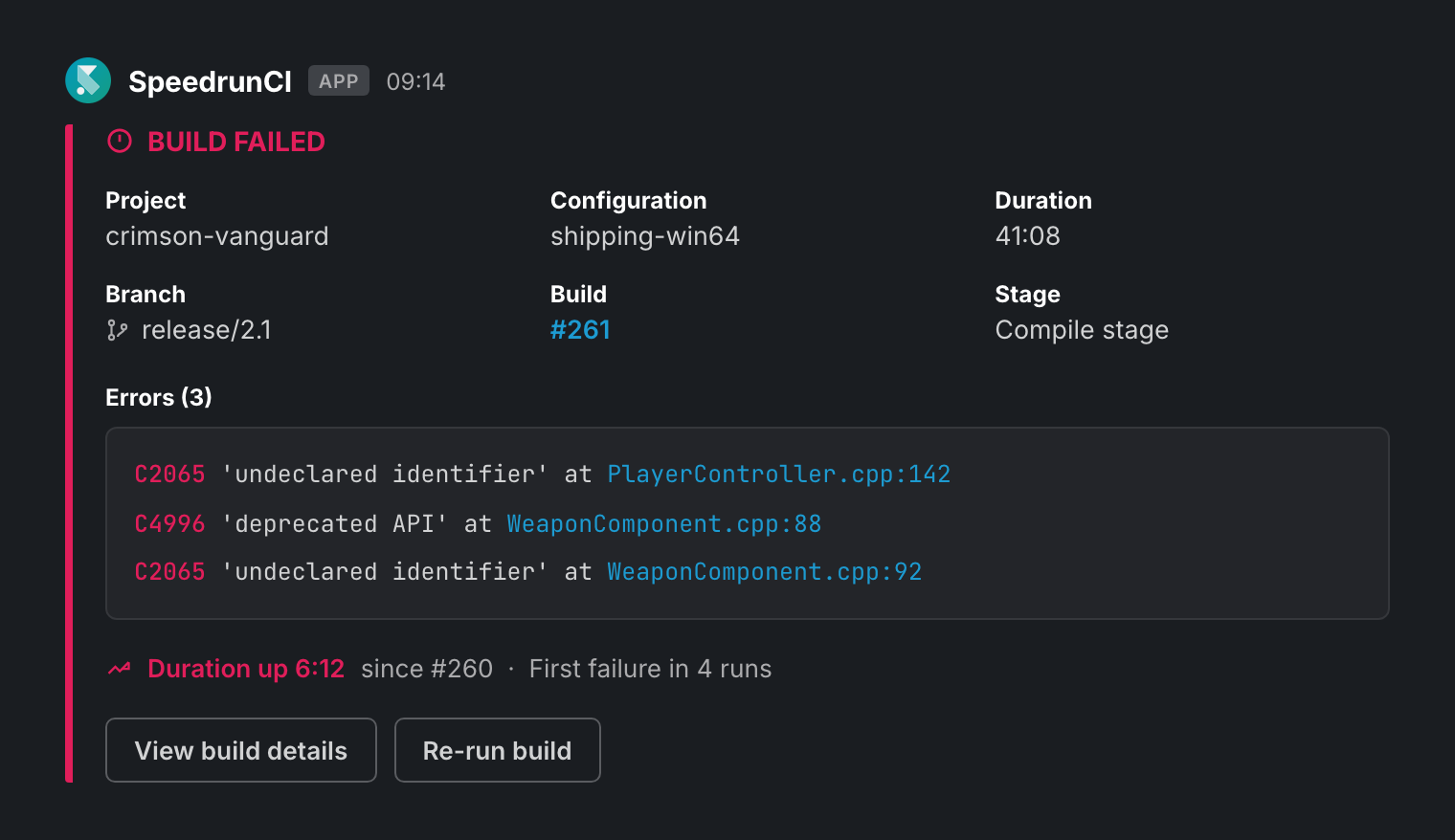
When a build fails, SpeedrunCI identifies the error and points you to the file and line that need attention. You get the context behind the failure and a confidence level for the suggested fix, without digging through thousands of lines of build output.
Suggested fixes appear in Unreal as changes you can review before touching your project. See what SpeedrunCI wants to change, understand why, and decide whether to apply it.
Jump from the diagnosis straight to the offending file:line, apply the suggested change locally, and get back to your project. From build failure to a concrete change without switching between logs, dashboards, and your editor.
Make sure the right people know
Send the right build status and diagnosis to the people who need it, in the tools they already use.
Send it to Slack, Teams, or Discord
Send build updates to Slack, Microsoft Teams, or Discord with the relevant status, diagnosis, and a direct link back to the build.
Tell the person who can fix it
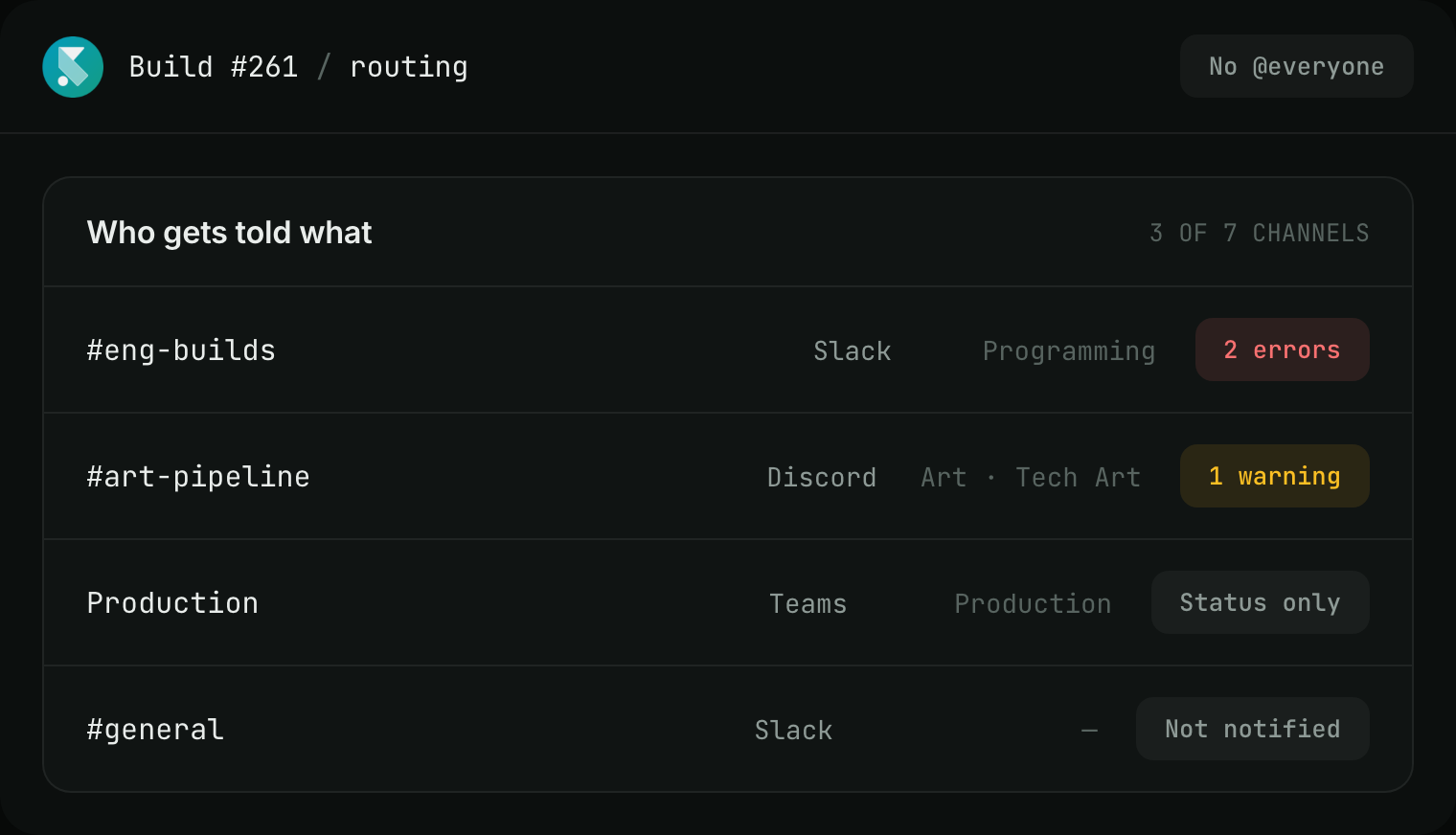
Give programmers, artists, tech artists, and producers the information relevant to them. The person who can fix the problem gets the useful context first, without turning every failure into a studio-wide alert.
Compare builds and search the history
Compare builds, track metrics like build size, shaders, assets, and duration, and search your build history by status, branch, or repository to spot recurring problems and understand how your builds are changing over time.
Put it on the wall
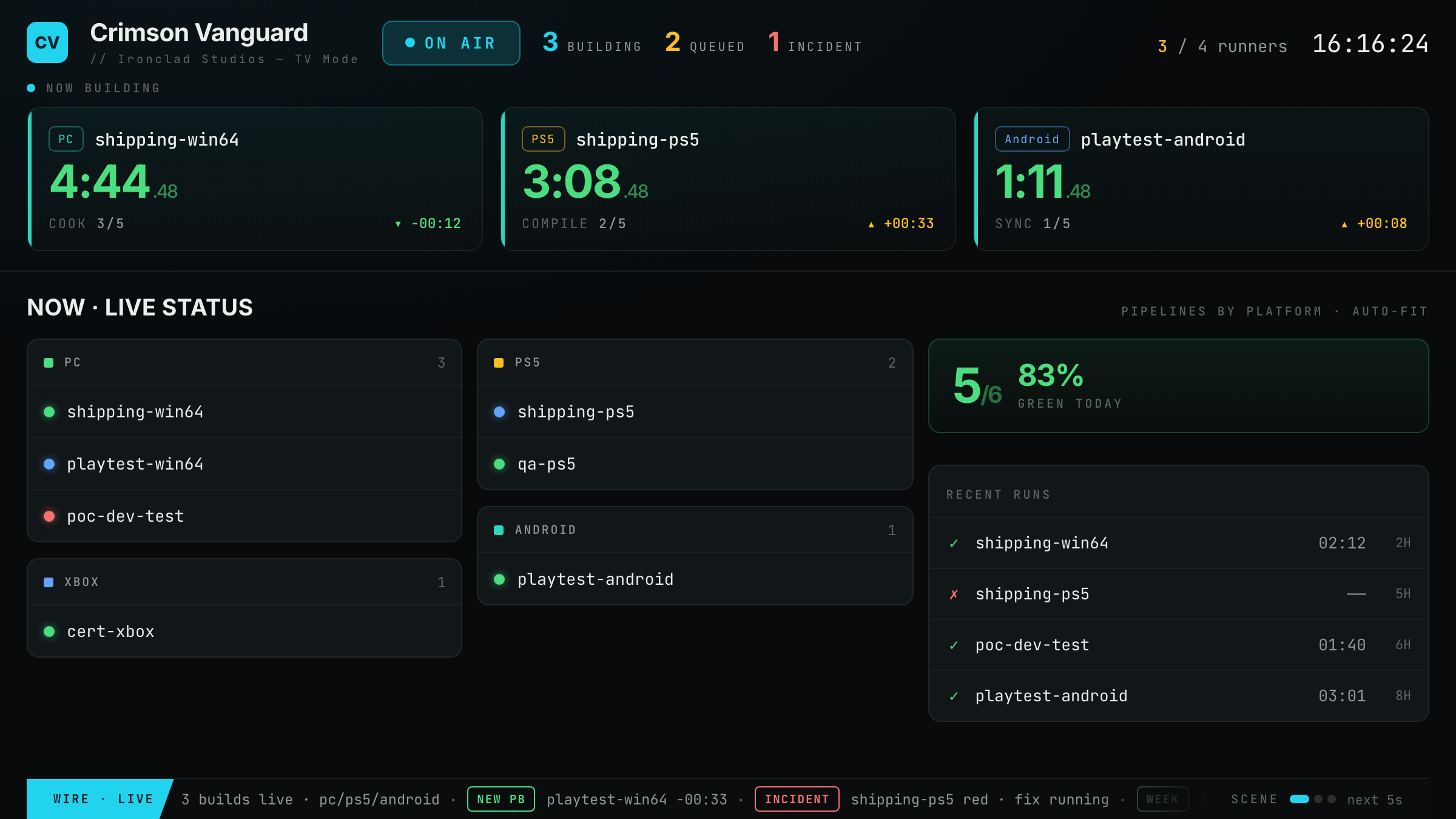
Put build health where everyone can see it with TV Mode. Watch builds live, see when something breaks, and surface the failing stage and diagnosis without anyone having to ask who’s looking into it.