What “Unreal-Native CI” Actually Means

Your CI tool has access to your entire Unreal project. It syncs the repo, opens the folder, starts building.
And it has never once read your .uproject file.
That file sits at the root of every Unreal project. It describes the modules, the plugins, the target platforms, the dependencies. It’s the blueprint of what you’re building.
Jenkins doesn’t read it. GitHub Actions doesn’t read it. TeamCity doesn’t read it. They step over it on the way to calling RunUAT.bat with a string of flags someone typed into a Groovy script six months ago.
This is the gap between “can run Unreal” and “understands Unreal.” It’s the entire definition of what “Unreal-native CI” means.
What generic CI sees
From Jenkins’s perspective, an Unreal build is three things:
- A source control sync. Big.
- A shell command. Long.
- Some output files. Huge.
That’s it. That’s the whole model.
Jenkins doesn’t know that the shell command compiles C++, then cooks content for a target platform, then compiles thousands of shader permutations, then packages everything into a distributable build. It doesn’t distinguish between those stages. It sees: run this, wait, check the exit code.
Exit code zero? Passed. Non-zero? Failed. Here’s the full log. All 400,000 lines of it.
What happens inside the command is your problem — yours and the 2,000 lines of Groovy or YAML you wrote to teach the tool what it’s looking at.
One developer on r/gamedev put it directly: “You won’t get far with out-of-the-box systems. I had to implement custom solutions for caching, running tests on multiple agents in parallel…” He’d been a DevOps engineer outside games and led CI/CD on an AA project. The game side required building everything yourself.
A sync, a command, some files. That’s what your CI tool knows about the project you’ve spent years building.
From black box to graph
The .uproject file is not a formality. It’s a dependency map.
When a CI tool parses it — actually parses it, not just copies it during sync — the build stops being a single command and becomes a directed graph. Compilation is a node. Cooking is a node. Shader compilation is a node. Packaging is a node. Each has inputs, outputs, and dependencies.
Some must run in sequence. You can’t package before you cook. Some can run in parallel — shader compilation doesn’t wait for code compilation. Some can be skipped entirely if nothing they depend on has changed.
Generic CI doesn’t know the graph. It never read the file that describes it. So it runs everything in sequence, every time, all of it.
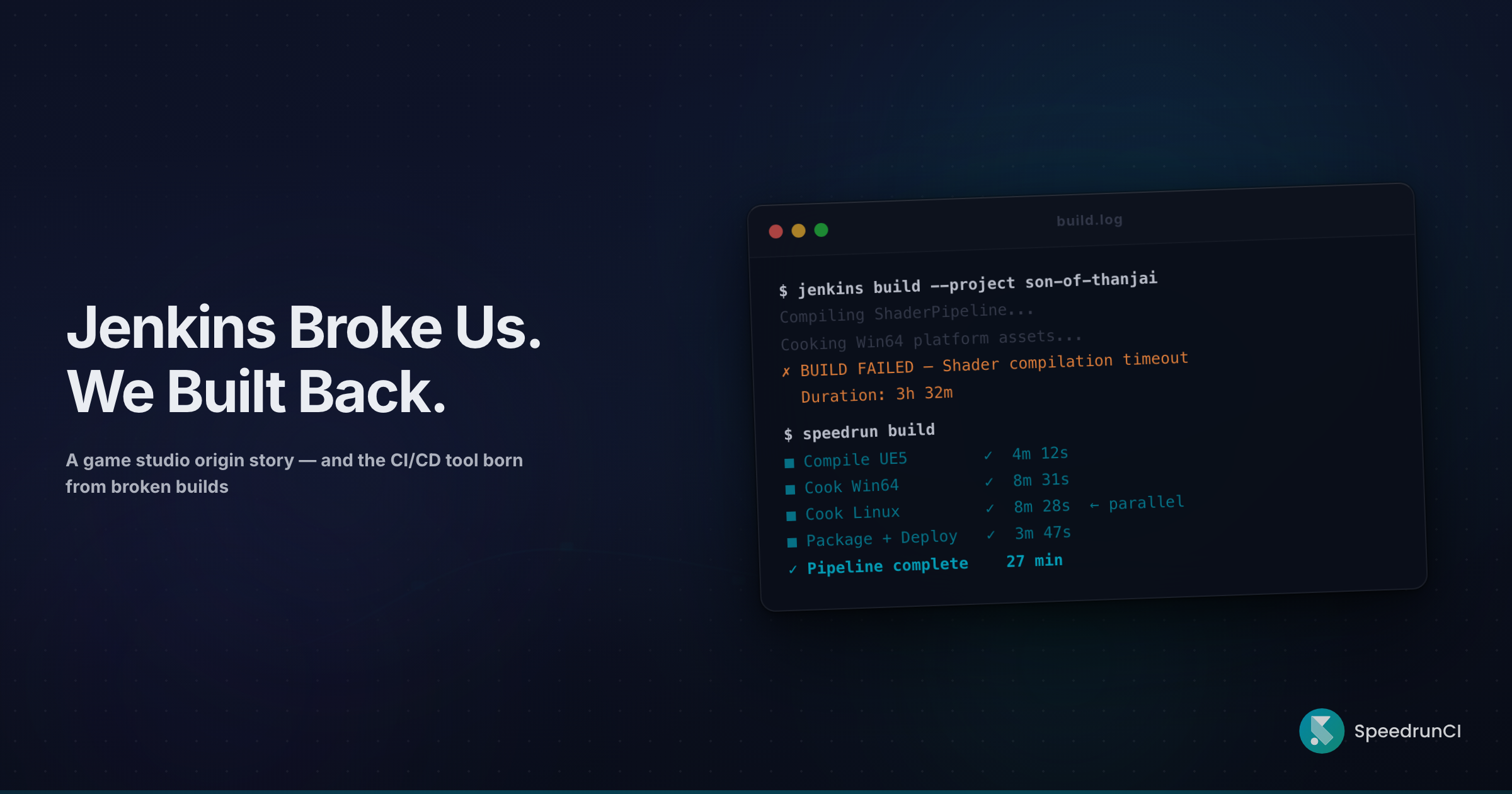
Vela Games documented this when they described their Jenkins-era pipeline: “Every step (build, cook, package, and gameserver deployment) happened sequentially and was taking up to 2.5 hours to complete in some cases.” Sequential. Every time. Because Jenkins had no way of knowing which steps could overlap and which could be skipped.
The black box opens. The graph appears. And once you see the graph, you can’t unsee it.
What changes when CI reads the graph
Change detection
A texture artist updates a material. Generic CI triggers a full build — compile, cook, shader, package. Three hours.
Jenkins doesn’t know that a material change doesn’t require recompilation. It doesn’t know that only the assets referencing that material need re-cooking. It can’t. It never read the dependency graph.
So it runs the command again. The whole command.
When CI reads the graph, a material change maps to specific nodes. Re-cook the affected assets. Recompile the affected shaders. Skip compilation entirely. Twenty minutes instead of three hours — same hardware, same repo. Not faster machines. Less unnecessary work.
Caching
Generic CI has no concept of Unreal-specific caching. It doesn’t know what the Derived Data Cache is. It doesn’t know that cooked assets are deterministic given the same inputs. It doesn’t know that a compiled engine snapshot can be reused across builds when the engine version hasn’t changed.
One developer on the Unreal Engine forums posted a number that stopped me cold: “One project that I had compiled yesterday took 8421.19 seconds to compile, despite the fact that I had made no changes.” Over two hours. Zero modifications. The CI tool rebuilt everything because it had no concept of what was safe to skip.
And as one game dev build engineer put it on Hacker News: “No provider provides OOTB caching in my experience, and I’ve worked with multiple in house providers, Jenkins, teamcity, GHA, buildkite.”
Game-aware caching requires game awareness. You need to know what a cooked asset is, what a DDC entry is, what an engine snapshot is, before you can cache them. Generic CI caches files. Unreal builds need semantic caching — the difference between “this file changed” and “this change affects these nodes in the graph.”
Failure precision
A Jenkins build fails. Your browser hangs for four seconds rendering the log. You Ctrl+F “error.” Forty-seven matches. Forty-four are warnings that appear on every single build. You start reading.
Thirty minutes later, you’ve found it. A cook error. A broken material reference an artist committed yesterday. Compilation was fine. Shaders were fine. But the entire build is red because it’s one command with one exit code.
When CI understands the build graph, failures land at the node level. The cook failed — here’s the log for the cook, here’s the commit, here’s the asset. Compilation? Still valid. The shader pass for unaffected platforms? Still valid. One failure doesn’t contaminate the whole build.
Artifact scale
Jenkins was designed for web applications. A Java WAR file is 50 megabytes. A Docker image is a few gigabytes.
An Unreal build produces 50 to 200 gigabytes of artifacts. Per platform.
As one developer discovered with GitHub Actions: “The engine is too big to run on GitHub Action’s free tier. I’ve tried using the official UE5 Docker image and it fails when it tries to pull the image.” That’s not a configuration problem. That’s a category mismatch.
Studios duct-tape around it. Rsync scripts copying builds to a NAS. A shared Google Drive folder for distributing builds to QA. Someone’s job includes “manage Jenkins disk usage.” When the CI tool treats 100GB as an edge case, every Unreal project is an edge case.
The visibility gap
Jenkins is for Jenkins people. The UI is a hierarchy of jobs, runs, and console outputs. Build engineers navigate it. Everyone else reads Slack messages from the build engineer.
One comment on r/gamedev put it bluntly: “Literally everybody I’ve every spoken to hates the interface, but I guess the build engineers know how to use it.”
That’s the interface for 60 to 70 percent of a game studio. Artists, designers, producers — the people who depend on the build every day — get their build status from a Slack message or a standup question. “Is the build green?” That question should never require asking a human. In most studios, it does.
This isn’t a dashboard problem you solve with a UI skin. When CI understands the build graph, it can show an artist which asset broke the cook. It can show a producer which platforms are ready for QA. Visibility is a structural consequence of understanding — not a feature bolted on top of a black box.
The honest landscape
TeamCity’s Unreal Engine plugin. JetBrains shipped this in May 2024. First time a major CI vendor built UE-specific features — dedicated runners for BuildCookRun and BuildGraph, automation test parsing, engine auto-detection. Real work. It moves TeamCity from “completely blind” to “partially sighted.”
But the plugin operates as a layer on top of TeamCity’s generic architecture. It doesn’t read .uproject files for dependency graphs. It doesn’t cache cooked assets or DDC entries. It doesn’t handle artifacts at game scale. A better wrapper around the same black box.
Vela Games and CircleCI. The most technically impressive public example of Unreal build optimization with external CI. Vela Games moved from sequential Jenkins to parallelized BuildGraph on CircleCI and got an 85 percent build time reduction.
But read what it took. A custom Python translation layer to convert BuildGraph output into CircleCI’s dynamic configuration format. Patches to BuildGraph source code. Bespoke AWS infrastructure with FSx for OpenZFS for shared storage. Custom AMIs. Custom autoscaling.
Vela Games themselves said it: “The barrier to entry for automating some of those projects in Jenkins was higher than we expected, and we wanted to explore other options to reduce complexities for our engineers.” They reduced build time. They did not reduce complexity. They moved it from one system to another — and built a custom translation layer to bridge the gap.
That translation layer is the tax. Every studio pays it when the CI tool doesn’t speak Unreal natively.
Horde. Epic’s own build system. Genuinely Unreal-native — built by Epic, for Epic. With Unreal Build Accelerator, one studio went from 40-minute builds to six minutes distributed across ten machines. That proves what’s possible when CI truly understands the engine.
Epic’s own documentation says it plainly: “Being completely generic is a non-goal for Horde.” The company that built Unreal Engine explicitly rejected generic CI for building Unreal projects.
But Horde requires multi-day setup. Perforce only. Sparse documentation — one developer reported that “following Epic’s guides will not install Horde correctly.” It needs MongoDB, Redis, a fleet of agents, and ongoing maintenance. Under one percent indie adoption. Horde proves the thesis. It doesn’t solve the accessibility problem.
There’s a spectrum from “command runner” to “build system that speaks Unreal.” Most tools cluster at the low end. TeamCity’s plugin nudges toward the middle. Horde sits at the far end behind an operational wall. The middle — native understanding without the operational burden — is mostly empty.
What “native” actually means
Generic CI is a command runner. You tell it what to do, step by step, in a scripting language it understands. It executes faithfully and reports back. If you tell it the right things, it works. If you miss something, it fails. It has no opinion about what you’re building because it genuinely does not know.
Unreal-native CI is a build system that speaks Unreal. You point it at a .uproject and it already knows what to compile, what to cook, what to cache, what to parallelize, what to skip. It has an opinion about how to build your game because it was designed to build games.
This is what we built at Speedrun — not because we had a thesis about CI architecture, but because we were building Son of Thanjai at Ayelet Studio and the tools we needed didn’t exist. We wrote the Groovy. We built the caching scripts. We duct-taped Jenkins for months. And then we stopped and asked why we were teaching the CI tool what a .uproject file is when the .uproject file was sitting right there, describing the project perfectly well, and the CI tool had never bothered to read it.
If that framing doesn’t apply to you — if your team has a build engineer who loves Jenkins, your pipeline is stable, and your builds finish in under an hour — this isn’t your problem. Keep what works. But if you’ve ever spent more time debugging the pipeline than the game, the question isn’t whether generic CI can build Unreal projects. It obviously can. The question is what you’re paying for CI that doesn’t understand what it’s building.
The command you don’t run
Every CI tool can call RunUAT.bat. That’s the easy part.
The hard part is knowing that the call is unnecessary — because nothing that affects its output has changed since the last build.
That’s what Unreal-native means. Not running commands for Unreal. Understanding Unreal well enough to know which commands not to run.
If you want to see what this looks like in practice — abrahamk@speedrun.ci
Never miss a ue5-main update.
Get them delivered straight to your inbox.