How to Read UE Build Logs Without Losing Your Mind
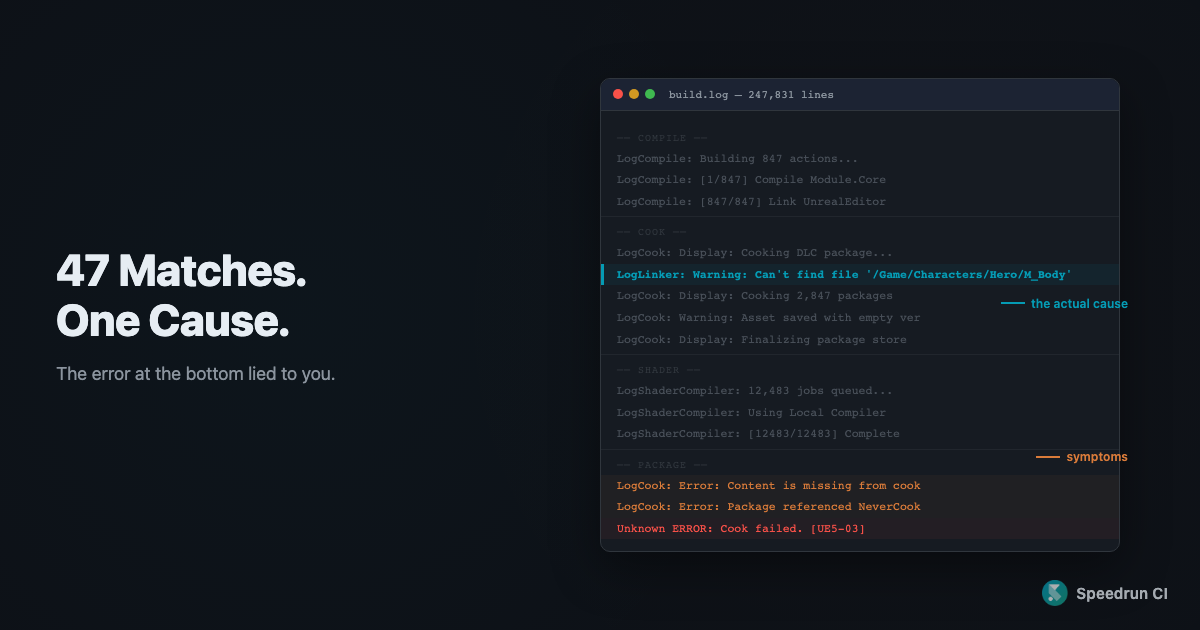
9:14am. The nightly build failed. I open Jenkins, click the red orb, and my browser locks up for four seconds trying to render the log. I scroll to the bottom. Unknown ERROR: Cook failed. [UE5-03].
That tells me nothing.
I Ctrl+F “error.” 47 matches. 44 are recurring warnings that show up on every build. Three are downstream symptoms. The actual problem? A Warning on line 34,847. I did this for three years before I learned a system.
Stop searching for “error”
The error at the bottom is almost never the cause. It’s the last domino.
You see LogCook: Error: Content is missing from cook at the bottom. Looks like the problem. It’s not. Scroll up 500 lines. There’s a LogLinker:Warning: Can't find file for the exact asset the cook needed. The linker warning is the cause. The cook error is the symptom.
What to do instead: search for LogLinker:Warning first. When the bottom says Cook failed, the broken reference chain is the cause nine times out of ten. That one search string will save you more time than anything else in this post. Even Epic’s documentation says that.
“There are multiple generic error messages that indicate a process failed but don’t provide useful information. The best approach is to search elsewhere in the log for other errors and warnings, as these are likely symptoms of other issues.”
Also: never debug from the CI web viewer. Jenkins buffers output (messages print out of order). GitHub Actions truncates long logs. curl ${BUILD_URL}consoleText > build.log on Jenkins gives you the real thing. On GitHub Actions, download from the Artifacts tab. You’ll chase ghosts otherwise.
Know which stage you’re in
A UE build log is five stages stapled together. Once you know the stages, you know where to look.
Init fails?     → Check env: SDK paths, engine version, config
Compile fails?  → Read the compiler error. It's usually right.
Cook fails?     → Search backwards for LogLinker:Warning
Shader fails?   → Consistent = code. Intermittent = infra.
Package fails?  → Problem is in Cook or Shader. Go back.
Cook generates thousands of LogCook messages as assets get converted for the target platform. A single broken reference cascades into dozens of errors. Grep for LogCook: Warning first. The first Warning is almost always the root cause. Everything after it is debris.
Shader compilation runs thousands of shaders in parallel, which means failures are often non-deterministic. LogShaderCompiler: Failed to create directory for shader debug info doesn’t mean your shader code is wrong. It might mean a temp directory filled up or a race condition. Ask: does this fail on every build, or randomly? Consistent means code. Intermittent means infrastructure.
Package failures just mean something upstream is missing. Don’t debug here. Go back to Cook or Shader.
One more thing: add -utf8output to your RunUAT command. Without it, some error messages get garbled by encoding issues and your searches silently miss them. I lost two hours to this once.
Before you re-run, check this
I was on a team where the Jenkins build randomly failed on shader compilation. Maybe 1 in 4 runs. Everyone knew. Nobody fixed it. We just re-ran it.
Nobody fixed it because the logs didn’t make the cause obvious. The LogShaderCompiler error pointed at a specific shader. The shader was fine. The real issue was a transient disk space problem during parallel compilation. Line 87,000-something. A Warning, not an Error.

Re-running a failed build without reading the log is not debugging. It’s gambling with better odds.
Before you hit re-run, spend 30 seconds: run grep -c 'ShaderCompileWorker' *.log across your last few builds. If the count spikes on random commits, it’s infrastructure, not your code.
We started keeping a known-flaky-errors list. Just a text file. Error patterns that appeared intermittently across different commits went on the list. Errors on the list got investigated as infrastructure. Everything else as code. Took 20 minutes to set up.
The whiteboard I never got
Nobody handed me this system. I built it from three years of scrolling past the answer, thinking it was noise, finding it an hour later by accident.
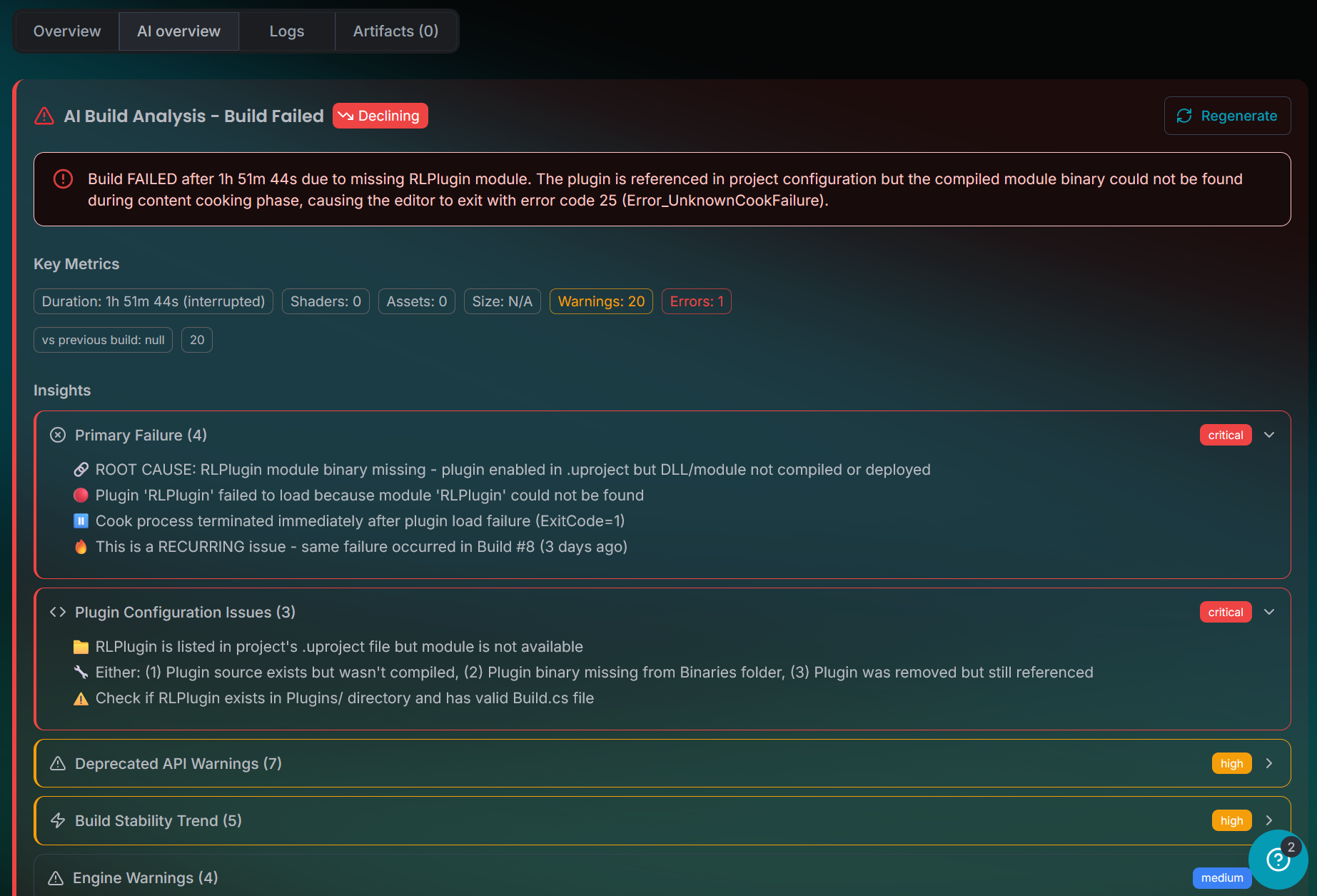
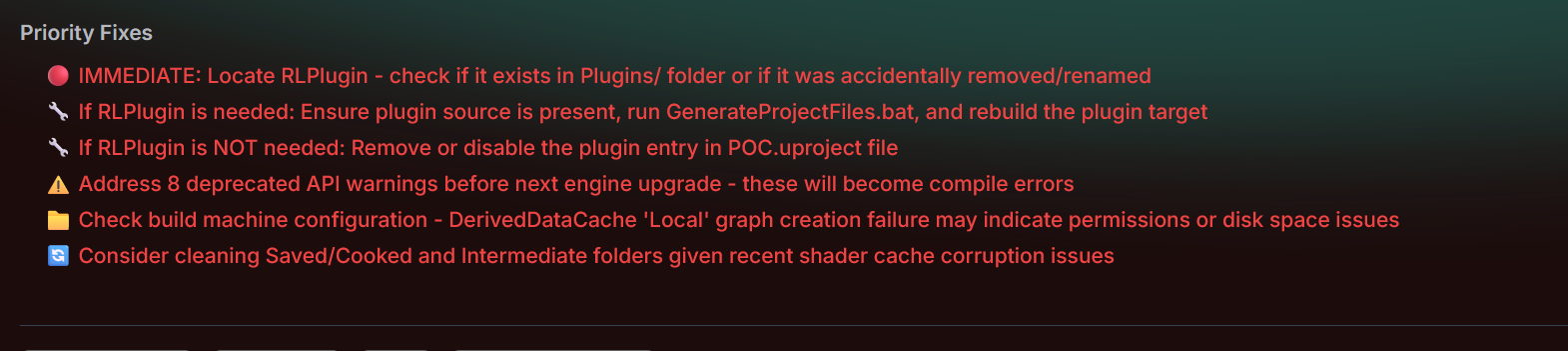
When we built Speedrun’s logs, we wanted it to be stage-aware. When a cook fails, you see the upstream LogLinker:Warning surfaced right next to the error it caused. The same failure from my opening example shows up as two lines instead of a 20-minute scroll. And instead of leaving you to figure out what to fix first, it tells you.
But the system works regardless of what CI you’re running.
Start with the stage. Search backwards for warnings. Stop trusting the last line.
Never miss a ue5-main update.
Get them delivered straight to your inbox.